Keep a useful output format
Download translated PDF pages, native EPUB books, editable PowerPoint presentations, or subtitle files for your video workflow.


AI File Translator
Upload a file and Scanfile will recognize its format, open the right translation tool, and carry your file with it. Choose your languages, review the available sample, and download your translated file.
One file selection · Format-specific previews · No subscription
File size and content limits depend on the format. We'll check your file and show the applicable limits.
Compare our short original files with their actual translations. No upload or sign-in needed to inspect these examples.
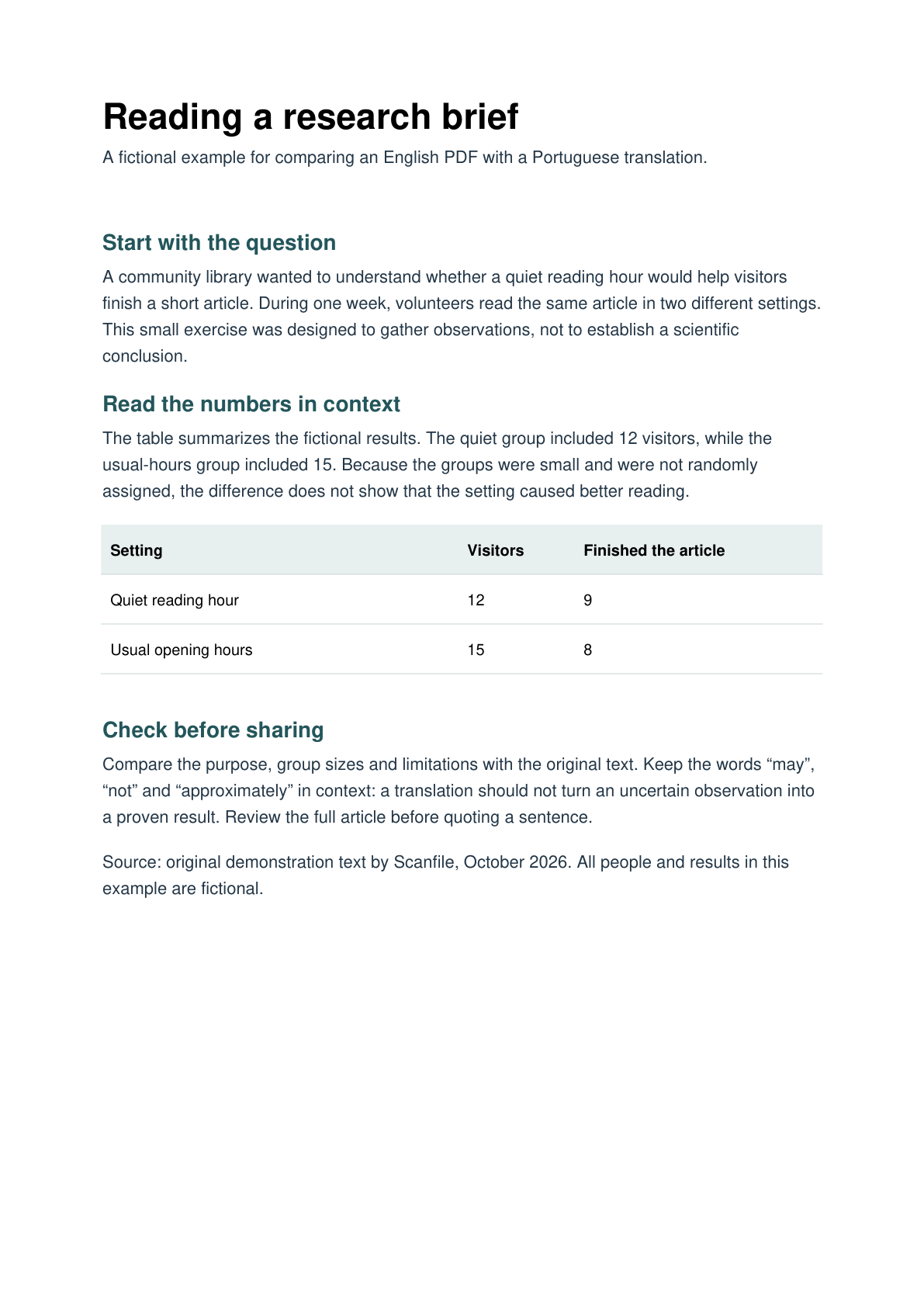
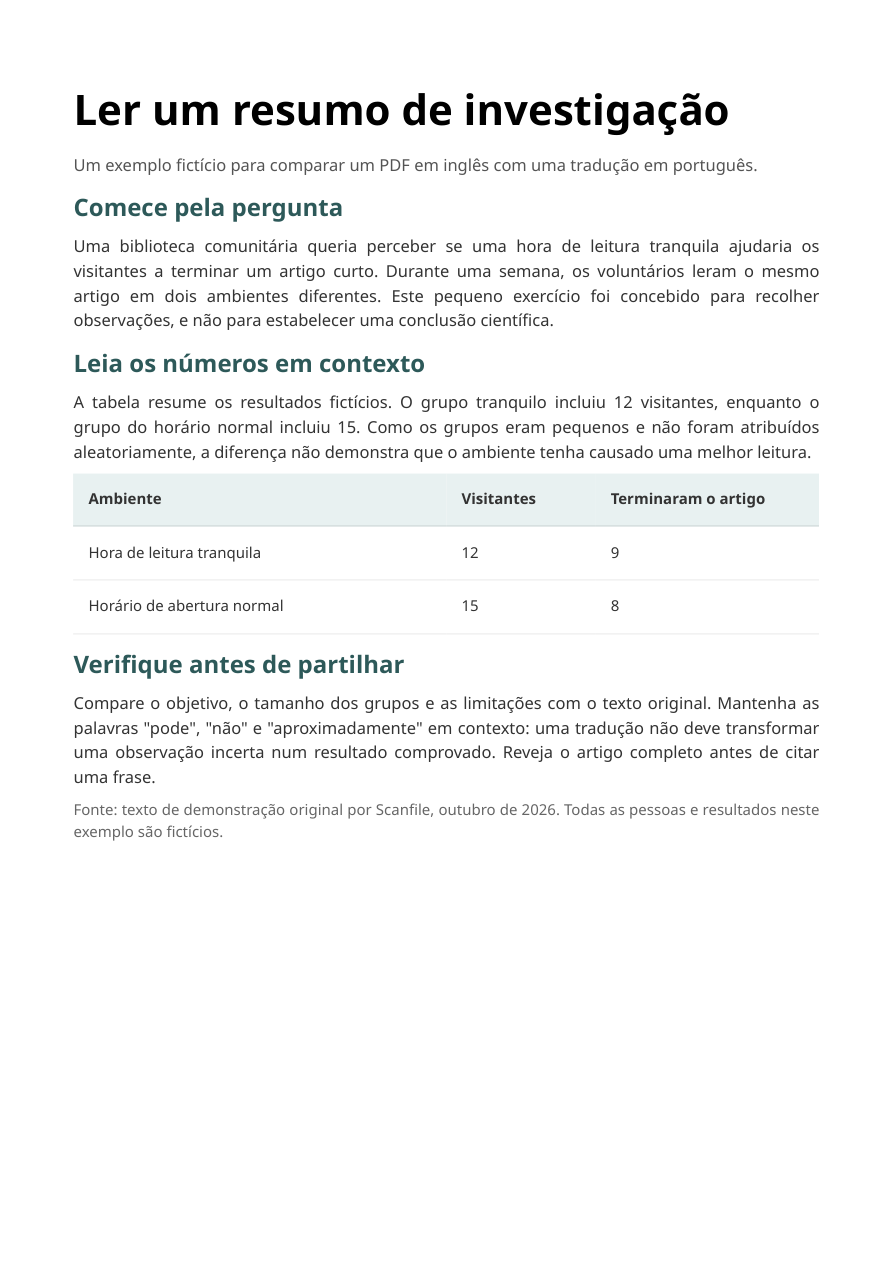
Compare a fictional image-only page with its actual Scanfile output. The table values and three sections were retained; fonts, spacing and layout changed.
This clean one-page scan is not a photo or independent quality assessment. Review names, numbers and meaning in your own translation.
The lightweight preview preserves the same page image; the original PDF is the exact file used for translation.
Lightweight PDF preview (~132 KiB)Original PDF (6 MB)Translated PDFHow this example was made
Preparing a PDF, captions, a book or slides? Choose a file translation workflow to find the preparation, translation and review steps.
Choose a file to get started. Scanfile takes you to the translator built for its format.
Translate selected PDF pages, compare them with the original, and download translated PDF pages.
Up to 300 MiB
Translated PDF pages
Translate books and long-form reading material, preview a bilingual sample, and download a translated EPUB.
Up to 50 MiB · 150,000 words or 250,000 CJK characters
Native EPUB
Translate PPTX and PPT presentations, then download an editable PowerPoint file in PPTX format.
Up to 300 MiB · 500 slides
Editable PPTX
Translate SRT, VTT, and ASS subtitles while keeping timestamps intact. Choose an available translated or bilingual output format.
Up to 5 MiB · 5,000 cues
Translated or bilingual subtitles
Scanfile does not currently accept .doc or .docx files. Choose a workflow based on the output you need:
Keep the original Word file. PDF translation has an eligible first-three-page trial and page-based credits for additional pages; check the offer and estimate after upload.
Translate your exported PDFDrag and drop a supported file or choose one from your device.
We'll open the matching translation tool automatically. You won't need to select your file again.
Confirm the source and target languages. See the available free sample and credit estimate for your file.
Start your translation and download the output supported by your file format.
Download translated PDF pages, native EPUB books, editable PowerPoint presentations, or subtitle files for your video workflow.
Check the sample available for your format. Trial eligibility and allowances vary by file type.
Buy translation credits without a subscription. Check the required credits before starting paid translation.
Scanfile supports PDF, EPUB, PPTX, PPT, SRT, VTT, and ASS uploads. DOCX, XLSX, and MOBI uploads are not currently supported.
No. Upload a supported file from the homepage, and Scanfile will direct it to the appropriate translator automatically.
No. Your file selection is carried into the matching tool, where the upload continues automatically.
Available free samples vary by format and eligibility. Each tool shows its own limits and the credits required for additional translation.
PowerPoint translations are delivered as editable PPTX files. Other formats offer outputs appropriate to their workflows, including translated PDFs, EPUB books, and subtitle files.
Files follow Scanfile's temporary access and expiration rules. Signing in can save your translation record, but does not extend the underlying file's availability. Download your results before they expire.
Choose individual pages, page ranges, or the complete PDF. Review the required credits before starting your paid translation.
Working with engineering specifications, datasheets, or technical manuals?
Upload a PDF, book, presentation, or subtitle file. We'll take you to the right translator.